 I’m always struggling with my contacts. I think I have too many now. 23,515 on my Gerriscorp.com Google Apps account and an infinity of bloated contacts that are doubling, tripling, and quadruplicating out of control. It’s like a lawn in the Spring. And I am constantly fighting it with scythes, weedwhackers, and flameflowers! So, here’s my personal experience in the war against duplicate contacts and towards keeping everyone I know in one clean, updated, current, and accurate address book.
Scrubly
 I used to love Scrubly when it worked for me. Now, it just doesn’t, no matter what I do and no matter how many trouble tickets I run. I discovered it years ago and back then it was amazing.
What it did was to systematically and automagically go through every single one of my contacts via my Gerris Corp Google Business Mail account, looking both for dupes and for the best intel for each contact, harvesting from all my social media accounts, cross-referencing, than then uploading the detailed, cleaned, optimized, and buffed — actually completely revitalized, all the syncing bloat that happens with using so many tools returned to sanity.
I love it and would probably recommend it if Scrubly’s tech team could actually make my install work. Until then, highly recommended when it works.
Brewster
 Like Plaxo before it, Brewster is being accused of being all about the spam — but that’s their business plan! Their plan is to check everyone’s email address by literally emailing everyone in order to check to make sure that everyone has everyone else’s email.
Ever since Brewster changed things up by trying to get me to send these quasi-abusive emails from my own server, I have cooled to it.
Even if you don’t really jump through the bulk updates hoops, Brewster does a very good job removing duplicates, suggesting contacts to delete (and making it super easy to delete them), and then finding all the invalid emails and making it easy to delete those, too — all using an almost too-sparse but very efficient interface UI.
I use this tool as often as they send me email reminders and the contact DB grooming does work via desktop and mobile phone. Recommend as long as you don’t mind spamming all your business contacts.
EasilyDo
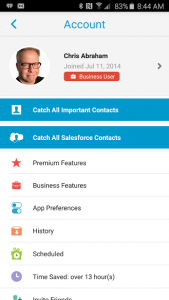 One might mistake EasilyDo for a glorified Notification Center of Google Now Launcher — but you would be wrong. It’s more like that assistant who has too many of your passwords and a fear of displeasing you. Aside from doing Google Now and Siri better than anyone else, tracking packages, birthdays, appointments, and even the top social media posts that all your prospects and friends already expect you to have seen, it goes through your inbox asks if you want to add them to your contacts and all that other cool stuff. It removes duplicates, scrubs outdated emails,
For an extra, one-time, fee of $47.99 you can buy Catch-All-Contacts, a super-premium feature that snouts through all your entire inbox in search of every single undiscovered contact, reclaiming them and adding them into your contacts. Is it worth $47.99? I’ll let you know when I’m less cheap. I remember that Plaxo had this sort of thing, but I don’t know (I just logged in to Plaxo — we’ll see if it’s a zombie or whether there’s any bite left in its bark).
I currently have a Business account, but there also seems to be Premium Features — do I have those? Or do I need to pay the $47.99? How much does it cost to become a Business account user? It’s not clear on the website. If any of you has tried the Catch-All-Contacts and love it, please let me know.
I will sometimes go for weeks or months without booting up EasilyDo — I use Google Now on my Samsung S6 Active — but when I do, I am always amazed by how useful it is as a digital assistant. It’s much more useful than simply a contact manager, contact harvester, or de-duper. It really is a killer app optimized for both Android and the iPhone. What do I think? EasilyDo: it works if you work it!
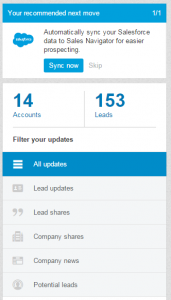 LinkedIn is an island. It’s not playing nice with any other tools. LinkedIn’s being a dick. It’s cut off its API from being used by all the other CRM platforms — dickish — and have tried to kill their CSV export tool — dick! That said, it might be working since I do pay cash for their Sales Navigator CRM and their built in an attempt at slaying Salesforce and all the rest has actually worked for me.
I mean, LinkedIn is ground zero for sales, for selling, for hiring, and for getting hired. The InMail credit might be one of the more valuable virtual currencies. You might be pissed at LinkedIn for being a dick, but at the end of the day, if you’re a small business like my Gerris, you might be way more willing to quit Salesforce, Sugar CRM, Nutshell — all of them — just because LinkedIn has cut them off.
Wait! I might be wrong. It looks like there an app for connecting LinkedIn and Salesforce. Oh, poor Nutshell CRM. At the end of the day, Linkedin Sales Navigator is the only CRM I am currently using because it’s deeply integrated into my LinkedIn sales process. For me, it’s an essential service.
FullContact
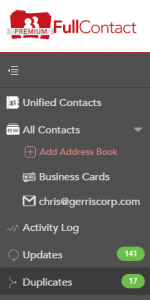 If you combine Full Contact with Full Contact Card Reader then you’re cooking with gasoline. Currently, it’s a close to Scrubly as I can get working, and it’s working all the time. It’s a persistent tool and you can hook up as many contact source as you like and it’ll knead them all together. In Hawaii, they call it lomi lomi.
Since I live completely in the cloud, I don’t run too many cards anymore, but were I to become a card-collecting hound, I would use the Apple iOS– and Android-compatible Full Contact Card Reader because it works seamlessly with Full Contact and, through the FC’s integration with contact management services, with your Google Contacts, etc. Probably even Outlook, Yahoo!, Hotmail, and all those other sources.
Again, I don’t use it every day, but it’s pretty well integrated into my process.
Google Apps for Business Contact Manager
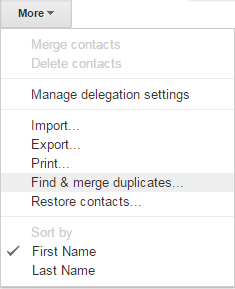 This tool really sucks. I hate it. Even the Gmail contact manager sucks. Google can’t sort out contact-management worth a damn, but they’re the most important place for my contacts because I am fully-integrated with GApps.
Really, the only thing I use my Google Contacts for is email address population in Google Mail and periodically I go in and run the Find and Merge function.
It feels like I am constantly running the Find and Merge function everywhere. I honestly am running a benign contacts cancer. I am in constant treatment and tools like FullContact, EasilyDo, Brewster, and Scrubly help me keep everything on check.
Salesforce
 Honestly, I am firing Salesforce just because I don’t use it. While it might very well be the most important tool ever designed but I just don’t need all the features — features that are rolled up in frills that I don’t use and topped with an user interface that looks like it was designed by a monster. Salesforce’s UI looks and feels circa 1997 and I can’t abide! To me, if you need Salesforce, you’re probably already using it.
I have been paying for and not using Salesforce for a trillion years now, so I am going to be canceling Salesforce before October 7 — unless you really think I am just not doing it right and should give Salesforce another try starting this Autumn. Let me know.
Also, please let me know about any another killer apps that I haven’t reviewed here. Good luck, and go git ’em, Tiger!